


Face Swap - Photo Editor AI
3.75.00 Reviews
App Specs
- Version
- 2.1.4
- Updated On
- License
- Free
- Downloads
- 500,000+
- Developer
- Photo & Video Editors - Instant Solution
- Categories
- Beauty
- Platform
- Android
Screenshots
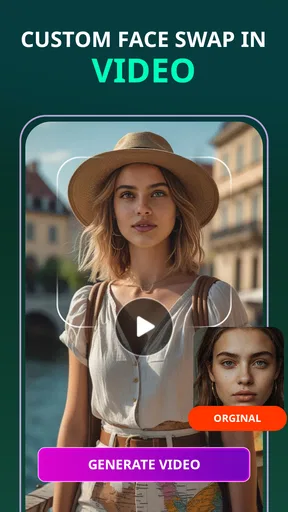
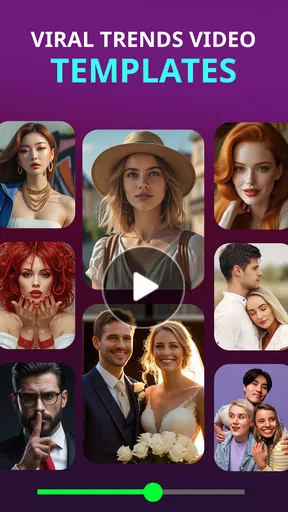
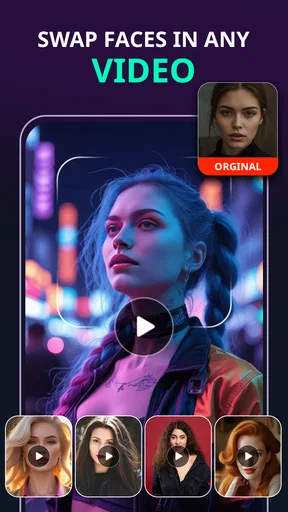
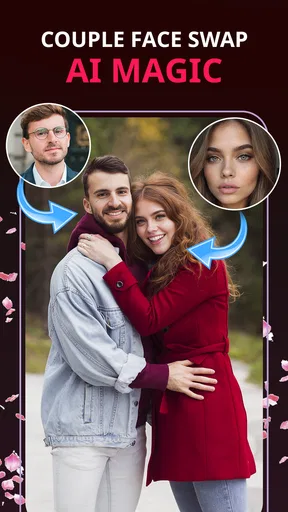
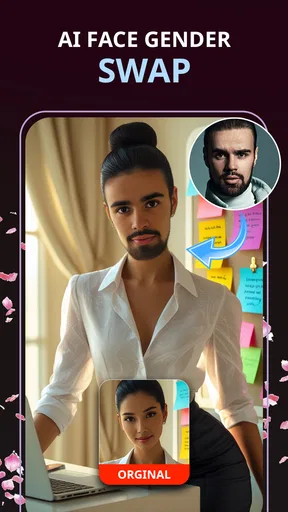
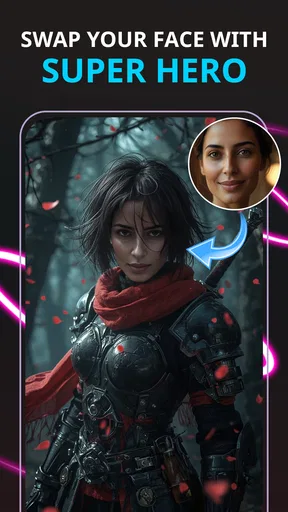
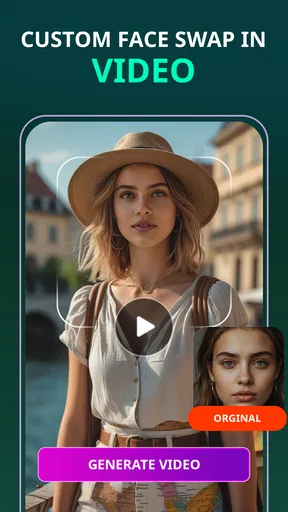
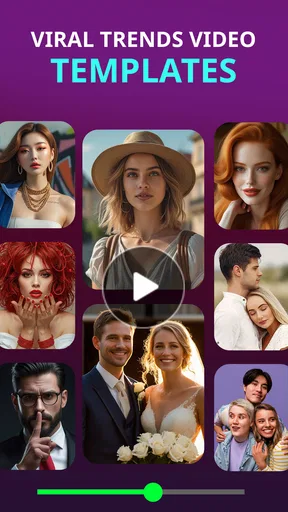
 Analysis by AppCompare
I’m cautious with any app that changes a person’s face, even when the goal is just a joke. A playful edit can be harmless, but a face is personal, and the result may be shared beyond the small circle it was made for. That is why I would treat Face Swap - Photo Editor AI as a light creative tool, not as a place to handle sensitive images casually. I can judge the kind of editing it offers, but I would not assume anything about its privacy practices or permissions without checking the choices shown on my own device.
What kind of app this is
This is a free beauty app from Photo & Video Editors - Instant Solution, built around changing faces in photos and video-style avatar creation. Its pitch is playful rather than professional: it is for making a funny image, trying a different look, or creating a stylized character, not for precise portrait retouching. The app has a 3.8 average from more than 500 ratings, which gives a prospective user a rough sense of its reception, but it does not tell me whether a particular edit will suit their photos.
The audience rating is Everyone, and the app is available in version 2.1.2 for devices running Android 8.0 or later. It has passed 500K installs. Those details make it easy to see that this is an established casual download rather than an editing suite aimed at studios. I would still keep the intended audience in mind: an Everyone rating does not mean every face-swap result is appropriate to share, especially when another person is in the picture.
Make the most of the visible choices
Before selecting a portrait, I would look carefully at the screens the app presents: what image source it asks me to choose, what actions it offers before processing, and whether it gives me a clear way to cancel or leave. I would not grant access more broadly than I need for the task. If the device offers a limited photo picker, choosing only the image I plan to edit is a sensible habit; if it presents a different permission choice, I would read that prompt rather than tapping through automatically.
That approach matters because a face swap starts with an image that may include more than the person being edited: a friend, a child, a workplace badge, or a recognizable home in the background. I would crop away irrelevant details before choosing a photo when possible. For a quick joke, there is little reason to include extra people or personal context that the final result does not need.
When a face edit deserves extra care
A private test selfie is a very different choice from a group photo or an image someone else might mistake for a real event. I would ask permission before using another person’s face, and I would label an obviously altered image if I shared it outside a trusted chat. That is not a technical feature of the app; it is a practical way to avoid turning a harmless edit into an uncomfortable surprise.
I would also avoid using sensitive photos for experimentation. A face swap can be funny while still changing how someone appears, and images can travel farther than intended once posted. If I were making a birthday gag for a close friend, I would choose a simple, non-sensitive photo and send the result directly rather than publishing it. For a public account, I would be more selective and skip edits that could embarrass someone or imply something that never happened.
Worth Reading Before You Choose

EA SPORTS FC Mobile 26 Is a Bigger Football Game, but It Takes Time

Flipboard Shows What News Apps Must Do Beyond the Feed

Switching to Android Auto Means Rethinking Your Driving Routine

Google Calendar Makes a Crowded Week Easier to Manage

Ludo King Makes the Most of the Minutes Between Plans

Baby Panda World Brings Quick Play to Modern Phones, but Its Game Library Feels Busy
How I would decide whether to continue
In-app purchases range from $0.99 to $99.99 per item, so I would check the price and terms on any purchase screen before confirming anything. Free to install does not mean every option is free. If I only want to try a basic face swap, I would first see what is available without paying and decide whether the result is useful enough to justify spending. I would not make a purchase just because a prompt appears while I am focused on finishing an edit.
The app was released on June 19, 2025. That is useful context when comparing it with long-running editors, but it is not a reason by itself to trust or avoid it. I would base that decision on the actual prompts, controls, and results I encounter. In particular, I would check whether the app makes the next step clear before selecting a paid option or sharing an image, and I would close it if a choice feels confusing.
My cautious starting point would be a photo I am comfortable using for a playful edit, a limited selection of images, and no purchase until I understand what I am getting. That keeps the experiment low-stakes and gives me a fair chance to decide whether the app’s particular style is worth keeping. If I cannot tell what a button will do, I would pause rather than assume it is harmless.
Have you ever wondered what it would be like to swap faces with your favorite celebrity or maybe just give your best friend a hilarious makeover? Well, let me introduce you to Face Swap - Photo Editor AI. This app has quickly become my go-to tool for all things fun and quirky when it comes to photo editing. So, let’s dive into what makes this app a must-try for anyone who loves to play around with their photos.
Getting Started with Face Swap
Installing the app was a breeze. Available for both Android and iOS, it took just a few clicks to have it ready on my phone. Once opened, Face Swap - Photo Editor AI greeted me with a sleek and user-friendly interface. No need to worry about getting lost in a sea of buttons; everything is laid out clearly.
There’s a handy tutorial right at the start, which I found super helpful. It walks you through the basics of face swapping and gives you a quick tour of the app's features. The app’s AI is incredibly intuitive, making it easy even for those who might not be tech-savvy.
Exploring the Features
Now, onto the fun part—what this app can do! The face-swapping feature is, of course, the star of the show. With just one tap, I was able to swap faces in photos from my gallery or take a fresh selfie. The AI does a fantastic job at blending the swapped faces seamlessly, so they don’t look awkward or out of place.
But wait, there’s more! The app also offers a variety of editing tools. You can adjust the skin tone to match the swapped face more naturally or even add fun elements like hats and glasses. It’s not just a face swap; it’s a full-on photo editing suite.
Performance and Usability
One thing that really impressed me was how quickly the app processed the swaps. I didn’t experience any lag or crashes, which is a huge plus in my book. The app runs smoothly, making the editing process enjoyable rather than frustrating.
The AI’s ability to recognize and swap faces accurately is another highlight. Whether it was a group photo or just a solo selfie, the app managed to identify faces with precision. It even works on photos with tricky angles, which I found quite remarkable.
Who will enjoy it, and who may prefer another tool
The best use for this app is a quick, low-stakes transformation: a silly birthday image, a private chat reaction, or a playful avatar to send to friends. I would start with a clear, front-facing photo and a second image where the face is similarly lit. Matching the angle and expression gives the edit a better chance of looking convincing than trying to rescue a dim, blurry, or sharply tilted portrait.
For an everyday example, imagine I want to make a lighthearted group-chat image after a friend’s celebration. I would pick a photo where everyone is comfortable being included, crop out people who have not agreed to appear, try the swap, and inspect the edges around the face before sharing. The useful final check is to zoom in on the hairline, jaw, and neck: even a funny edit can look distracting if the blend is visibly uneven at normal viewing size.
That small workflow also helps me decide whether the app is the right tool. If the source photo has several faces, I would check that the intended person was selected before spending time on extra edits. For an image with a single, well-lit face, the process is simpler; for a crowded picture with overlapping heads, I would expect face selection to be less predictable and would keep a backup crop ready.
Compared with a conventional photo editor, this app is centered on the face transformation rather than broad control over every part of an image. A standard editor is usually a better choice when I need careful masking, color correction across the whole frame, or exact layout work. A social-media filter is more convenient when I only want a quick live effect, while this kind of face-swap tool makes more sense when I want to work from a chosen image and shape the result afterward. I would not treat it as a replacement for a dedicated portrait editor.
It is also a different choice from an avatar maker that starts with a drawn character. A face swap keeps the source image’s photographic context, which can make the result feel more personal and immediately recognizable, but it also makes consent and careful sharing more important. If I want a fictional look without using someone’s real face, a fully illustrated avatar tool is the safer and more suitable alternative.
Small decisions that improve the result
One practical tip is to prepare the source image before opening the editing flow. A quick crop can remove distracting faces and background details, while choosing a photo with even lighting avoids asking the blend to reconcile strong shadows from different pictures. I would also keep the original untouched so I can compare versions and return to the unedited image rather than feeling committed to the first result.
Another useful trade-off is how much realism to pursue. A seamless-looking edit may be more convincing, but that is not always the goal; for a joke among friends, an obviously playful result can be more considerate because nobody is likely to mistake it for a real photo. If the app offers finishing adjustments such as skin-tone changes or accessories, I would use them sparingly. Overworking the face can make the edit less natural and can turn a quick gag into a longer, less comfortable process.
I would not rely on a face swap to fix a poor source image. If the face is partly hidden, too small, or blurred, trying several adjustments may take longer than choosing a better photograph. This is where a simple crop or a different picture can save time. The most useful result often comes from selecting suitable inputs, not from piling on edits afterward.
Why You Should Try It
Whether you’re looking to create hilarious memes or simply enjoy a creative outlet, this app is definitely worth a download. It’s an app that brings joy and laughter, with a side of impressive technology. The combination of ease of use and powerful features make it stand out in the crowded photo editing app market.
Plus, the app is frequently updated with new features and improvements, so you can expect it to get even better over time. And let’s be honest, who doesn’t love a good face swap to lighten the mood?
For someone deciding whether to install it, I would put the intended use first. If you want a casual way to make a personalized joke or experiment with a photo, it has a clearer purpose than a general editor crowded with unrelated tools. If your priority is fine-grained retouching, a predictable professional workflow, or avoiding the use of real faces, another type of app will fit better. It is also not my pick for images that carry private or emotionally sensitive information.
A reader may reasonably wonder whether they need to pay to try it. The app is free to install, but optional in-app items have a wide price range, so I would inspect each purchase prompt rather than assume every feature is included. Another sensible question is whether it suits a younger user: its age rating is Everyone, yet I would still guide children around permission prompts, purchases, and the choice to share photos of other people.
Final Thoughts
In a world where photo editing apps are a dime a dozen, Face Swap - Photo Editor AI manages to carve out a niche with its fun and functional features. It’s an app that doesn’t take itself too seriously, and neither should you. Give it a try, and I bet you’ll find yourself laughing and sharing your creations in no time.
So, grab your phone, download the app, and let the face-swapping fun begin! You might just find your new favorite pastime.
My own recommendation comes with a boundary: use it for consensual, lighthearted edits, check the on-screen choices before granting access or paying, and keep sensitive images out of casual experiments. The fun is real, but a face is still someone’s identity. With that in mind, this is a reasonable app to try if you want a quick, playful transformation and are willing to make careful choices about the pictures you use.
Pros
- Intuitive user interface simplifies editing.
- Realistic face swap results with AI technology.
- Wide variety of filters and effects.
- Quick processing for fast results.
- Regular updates with new features.
Cons
- Requires internet for AI processing.
- Ads can be intrusive during use.
- Limited free features without purchase.
- Occasional glitches in face detection.
- High battery consumption during editing.
FAQs for Face Swap - Photo Editor AI
What is Face Swap - Photo Editor AI, and how does it work?
Face Swap - Photo Editor AI is an innovative app that allows users to swap faces in photos using advanced AI technology. It leverages machine learning algorithms to accurately detect and replace facial features, ensuring seamless swaps that look realistic and fun. The app is user-friendly and requires minimal input from the user to achieve impressive results.
Is Face Swap - Photo Editor AI free to use?
The app offers a free version with basic features that allow users to perform simple face swaps. However, there may be in-app purchases or a premium subscription available to unlock advanced features, remove ads, or access exclusive content. Check the app store listing for detailed pricing information.
What devices are compatible with Face Swap - Photo Editor AI?
Face Swap - Photo Editor AI is available for both Android and iOS devices. It requires a minimum operating system version to function optimally, so ensure your device is up-to-date. The app is designed to be lightweight, but performance may vary depending on your device's specifications.
How secure is my data when using Face Swap - Photo Editor AI?
The app prioritizes user privacy and typically follows strict data protection protocols. Images processed by the app are usually stored locally on your device, and any data collected is handled according to the privacy policy. Always review the app’s privacy settings and terms of service to understand how your data is managed.
Can I share my face swap creations directly from the app?
Yes, Face Swap - Photo Editor AI typically allows users to share their creations directly to social media platforms such as Instagram, Facebook, and Twitter. There are usually options to save the images to your device or share via email and messaging apps, making it easy to showcase your creativity.


